Company secretarial and DPO work, without the CRM.
One calm queue for your team. One simple screen for your clients. Every Singapore deadline worked out for you.
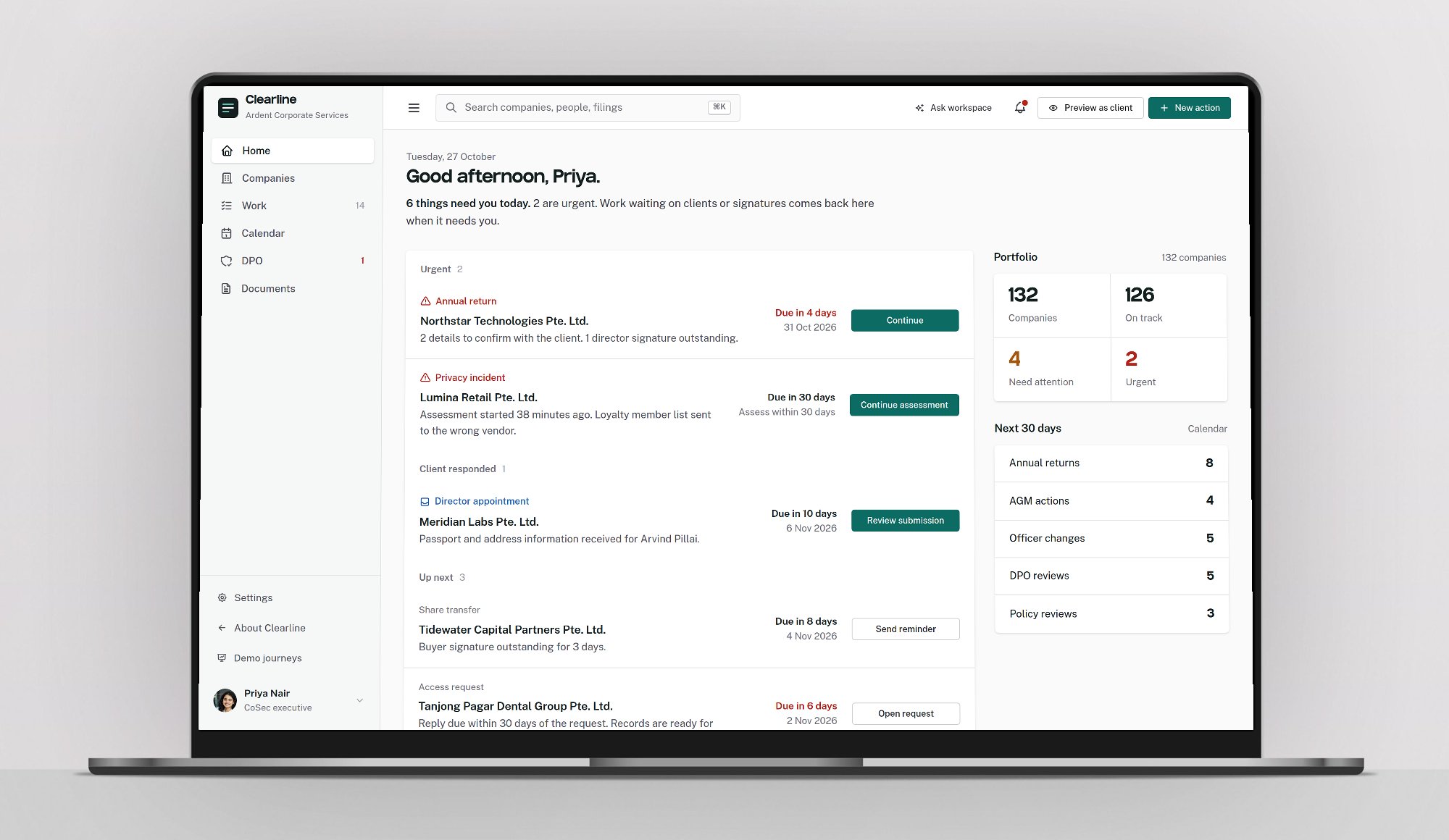
Built around the work, not the record.
Your team told us the current system is all dropdowns and loops. Clearline starts from the question they ask every morning: what needs me today?
| Task | In a typical CRM | In Clearline |
|---|---|---|
| Find what is due | Open each company and check each tab. | One queue, earliest deadline first, with the reason it is there. |
| Chase a client | Write an email, then remember to follow up. | Send a ready-made request. The reply lands back in the queue. |
| Prepare a resolution | Copy last year's Word file and retype names. | Drafted from the registers. Changed details are highlighted. |
| Get a signature | Print, scan, email, check the inbox. | The director signs on their phone. Status updates as they sign. |
| Prove what happened | Search old emails. | Every step is recorded with who and when. |
Deadlines worked out from the rules you already follow.
- 6 months
- to hold the AGM after the financial year end, for a private company.
- 7 months
- to file the annual return after the financial year end. Late filing costs S$300, then S$600.
- 14 days
- to lodge a new director, a share transfer or a change of registered office.
- 30 days
- to assess a suspected data breach, and to reply to an access request.
An annual return that moves itself along.
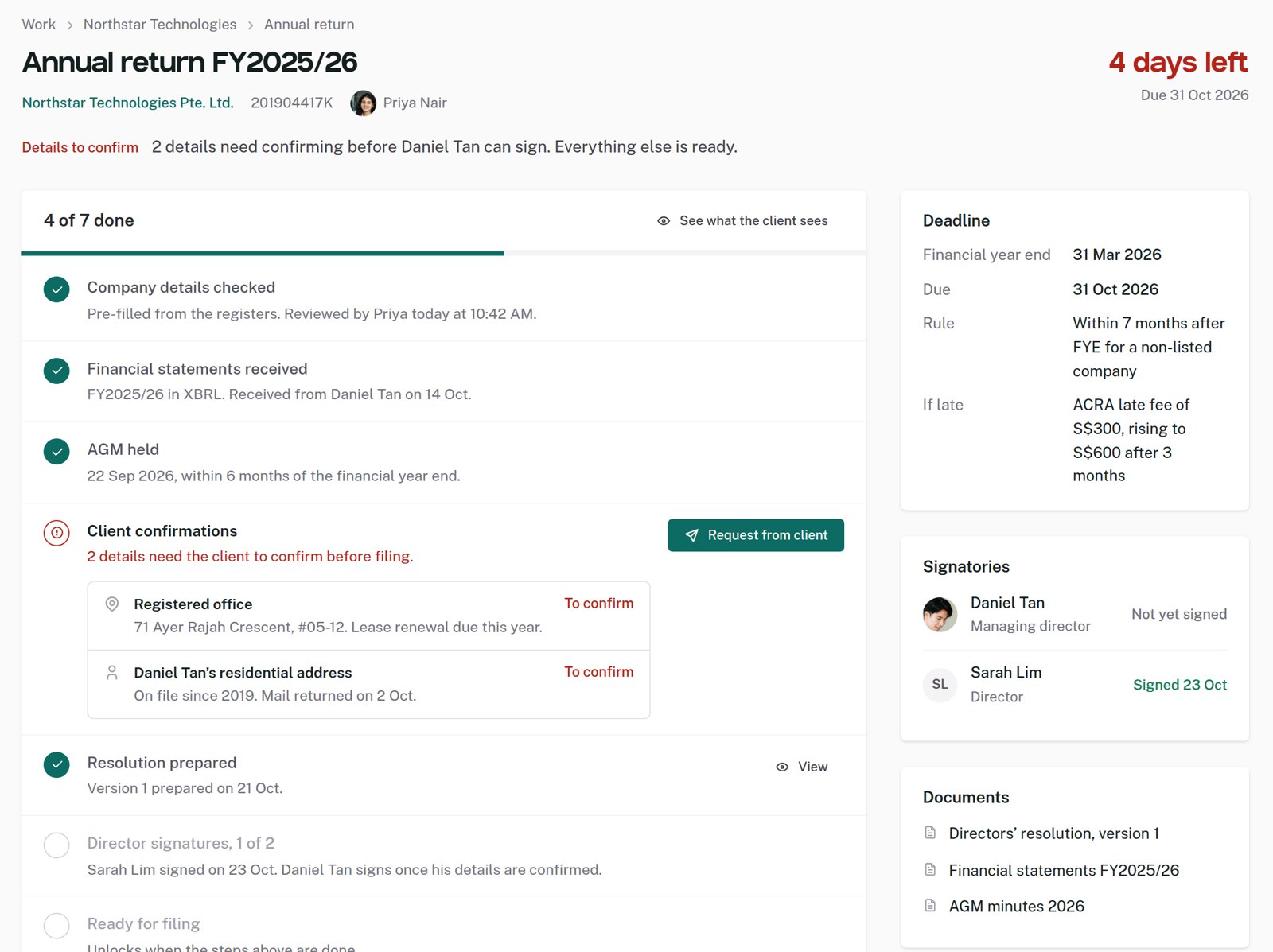
Everything is pre-filled from the registers. Clearline shows the two details that need the client, sends the request, and brings the reply back to you side by side with what is on file.
- Progress shown as steps, not a status dropdown
- Accept a change once, and the register, resolution and follow-up filing update together
- Filed on Bizfile, recorded here with the transaction number
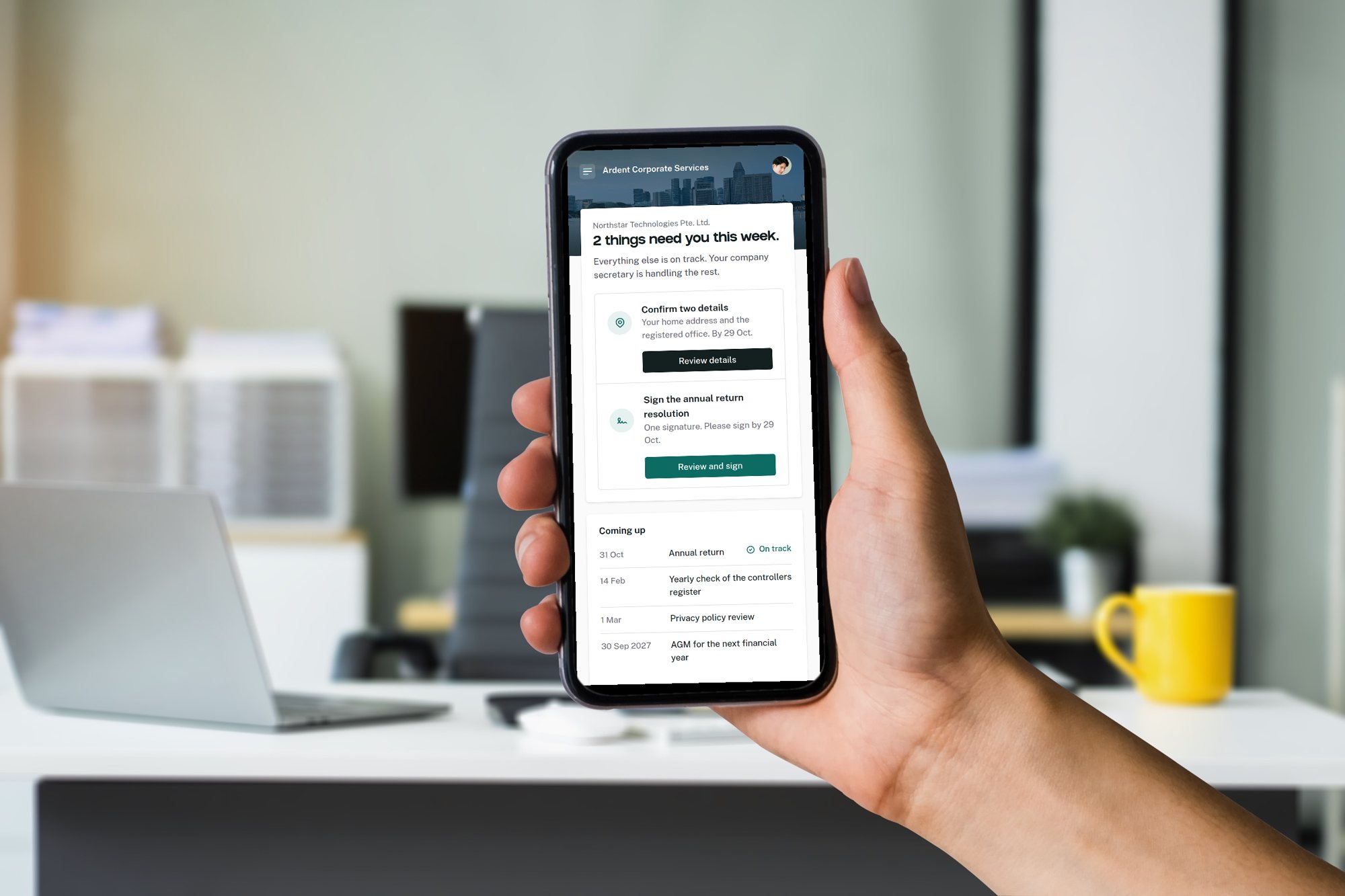
Your clients see one thing: what they need to do.
Directors confirm details and sign on their phone. No login maze, no forms to hunt for. When they are done, it says so, and your team sees it straight away.

Daniel Tan, managing director of Northstar Technologies, is the client in the demo.
A breach assessment that organises the facts. The DPO makes the call.
A guided six-step journey keeps the 30 day and 3 day clocks in view, separates what is known from what is missing, and says when notification may be required. Clearline does not give legal advice or make the decision.
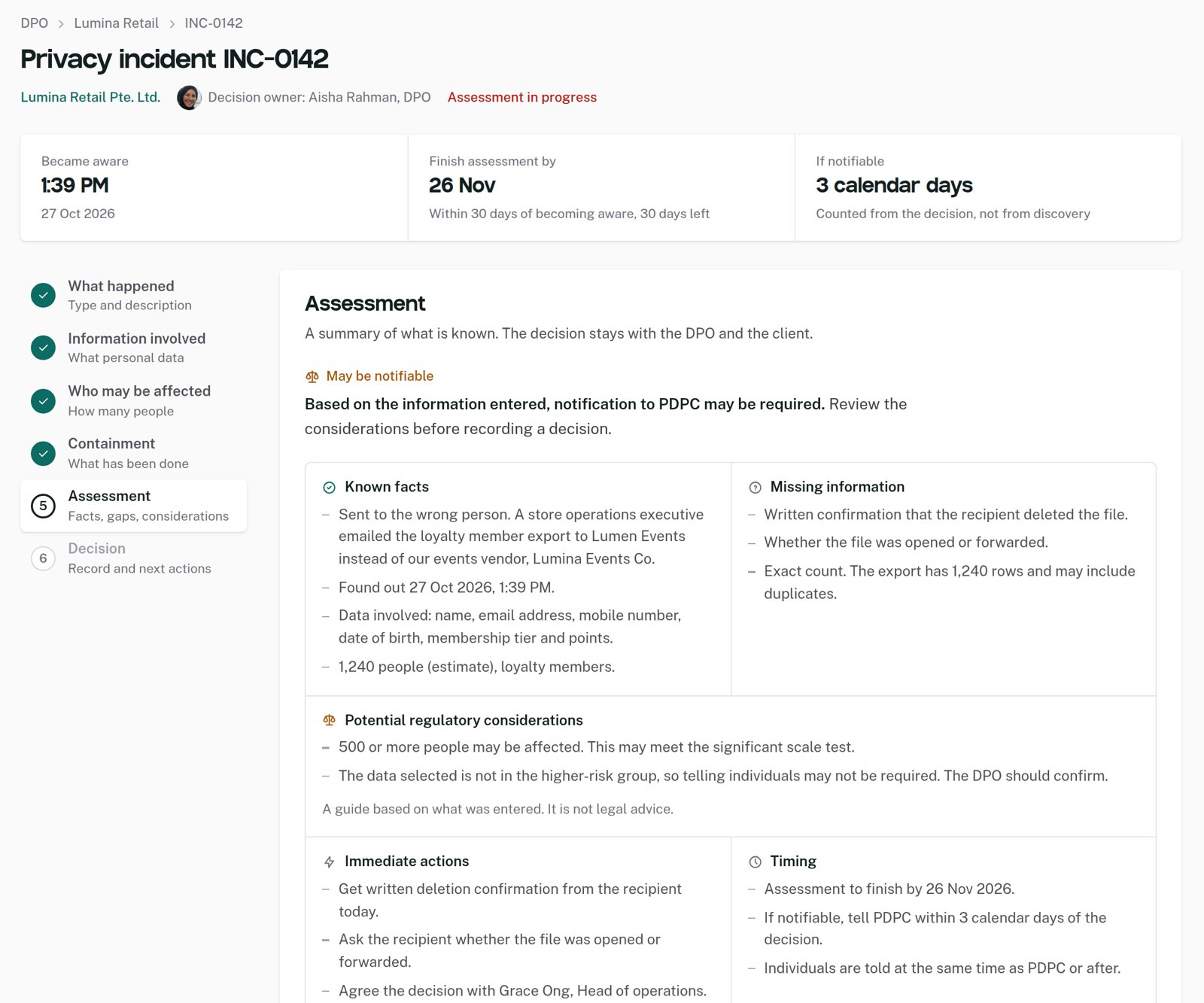

Aisha also runs the privacy records for each client: data inventory, policies, access requests, training and an evidence pack she can hand to an auditor.
Open the DPO workspace




See it with your own work.
Five short journeys, about seven minutes in total. Or click around freely. Nothing you do here is saved.